Product walkthrough
How Kids Writing turns a stuck moment into a next step.
Step 1 - Choose a starting point
Where does my child begin?
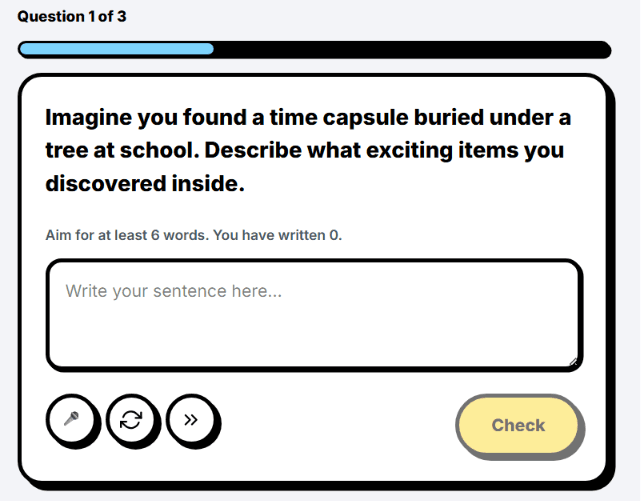
They can start small with a sentence or paragraph task, choose a prompt, or open Inspiration Station when the blank page feels too hard.
- Sentence and paragraph practice
- Free Write sparks
- A lower-pressure first step
Step 2 - Pick today's mode
What kind of writing session are they doing today?
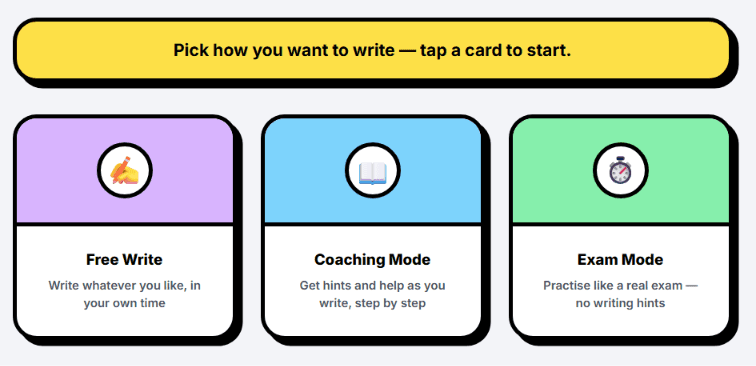
Free Write gives space to create. Coach mode gives step-by-step help. Exam mode adds time pressure when they are ready.
- Free Write for open practice
- Coach mode for guided support
- Exam mode for timed writing
Step 3 - Get unstuck
What happens when they get stuck?
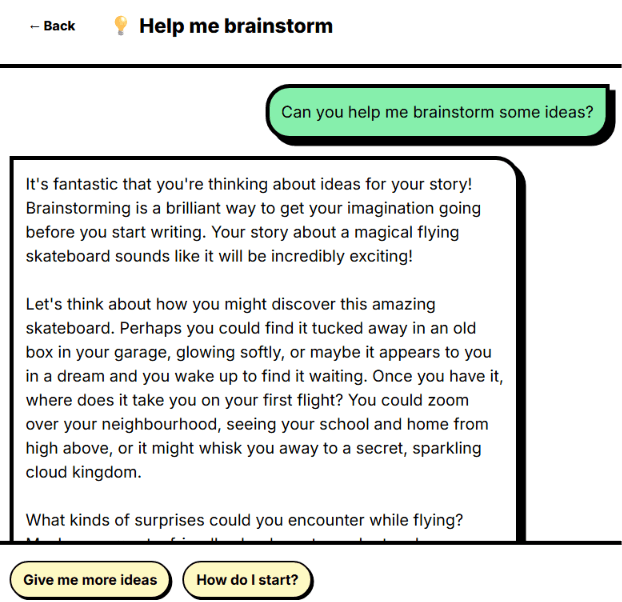
The Writing Coach helps children understand the task, brainstorm ideas, make a plan, check if they are on track, or improve a selected part.
- Helpful questions
- Planning and idea support
- Guides thinking, not copying
Step 4 - Revise clearly
How do they know what to fix?
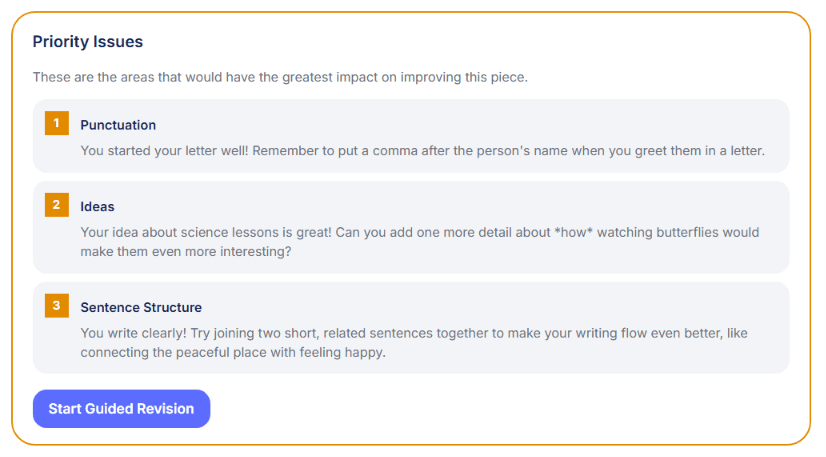
Feedback highlights the writing, explains the issue in child-friendly language, and gives one focused revision action at a time.
- Highlighted writing tips
- Priority issues
- Guided local fixes
Step 5 - Build the bigger picture
How does one draft become long-term progress?
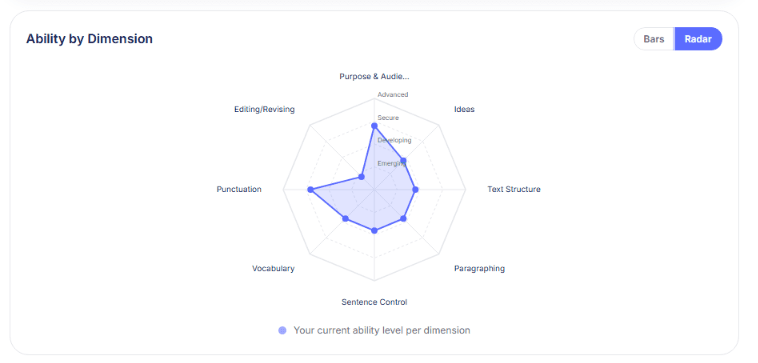
Each writing task and practice activity contributes to a skills profile, so parents can see strengths, weak spots, and what to practise next.
- Ability by dimension
- Bar and radar views
- Next focus areas
Step 6 - Keep practice going
Why would my child come back and try again?
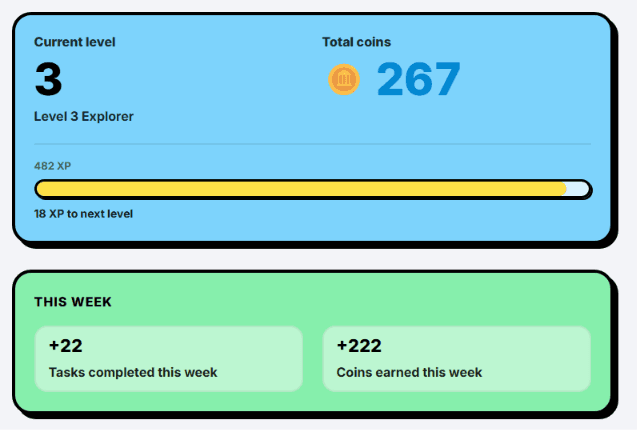
Coins, XP, Buddy items, playful prompts and the shop help children feel that revision and practice are worth returning to.
- Coins and XP
- Buddy and shop rewards
- Playful writing prompts
Step 7 - Safe and independent
How does AI stay safe and useful?
Kids Writing uses Google Cloud Natural Language moderation before AI support runs, plus coach rules that keep help focused on questions, explanations and next steps.
- Google moderation before AI support
- Safety rules in the coach prompt
- Guide thinking, do not write for the child
Ready to see your child take the next writing step?
Start with one prompt, one sentence or one guided writing session.
Create a free account